
Name-Based Case Searches
Utah runs its Cache County court records through one statewide hub, the Utah Courts XChange portal. It covers district and municipal justice court cases alike. Pick District Court for a felony, a Class A misdemeanor, or general civil cases. That choice also covers domestic, probate, and qualifying Cache small-claims matters. Pick Justice Court for a city traffic ticket, an ordinance violation, or an infraction. Class B or C misdemeanors and city small-claims cases belong there too. Cache County has no county justice court. The wrong choice can bury the record you want.
Names must match what court staff typed. Put the surname or business name in Last Name/Company. Per the official XChange help, an asterisk wildcard may follow a surname. It can also follow the first few letters of a first name. Skip wildcards on names under three characters. Then narrow the list instead of treating every similar name as one case.
- Open XChange and choose District Court, Justice Court, or both.
- Enter Last Name/Company, then add the first name when known.
- Select Cache County, a court location, case type, or date range.
- Compare the court, case number, filed date, and party role.
- Open the case number and read Case History/Documents in date order.
| Field | Type | Required | Use |
|---|---|---|---|
| Jurisdiction | Selector | Unspecified | District Court, Justice Court, or both |
| Last Name / Company | Text | Unspecified | Names as filed; wildcard supported |
| First Name | Text | Optional or unspecified | First letters plus wildcard may broaden a search |
| Search Scope | Selector | Unspecified | Statewide, county, or one court |
| Date panel | Date ranges | Optional | Filing, disposition, judgment, or judgment disposition |
Cache County XChange Controls
Court staff enter case information into CORIS, the statewide court record system. The public sees it once it is entered. The Utah Courts XChange overview lays this out. Keep the distinction straight. This is not a Cache County Clerk database. The Cache County/Logan District Court clerk and records staff hold the district case record. Each municipal justice court keeps its own cases within the unified court structure.
The overview also helps separate the court's case-history service from a county-government records search.
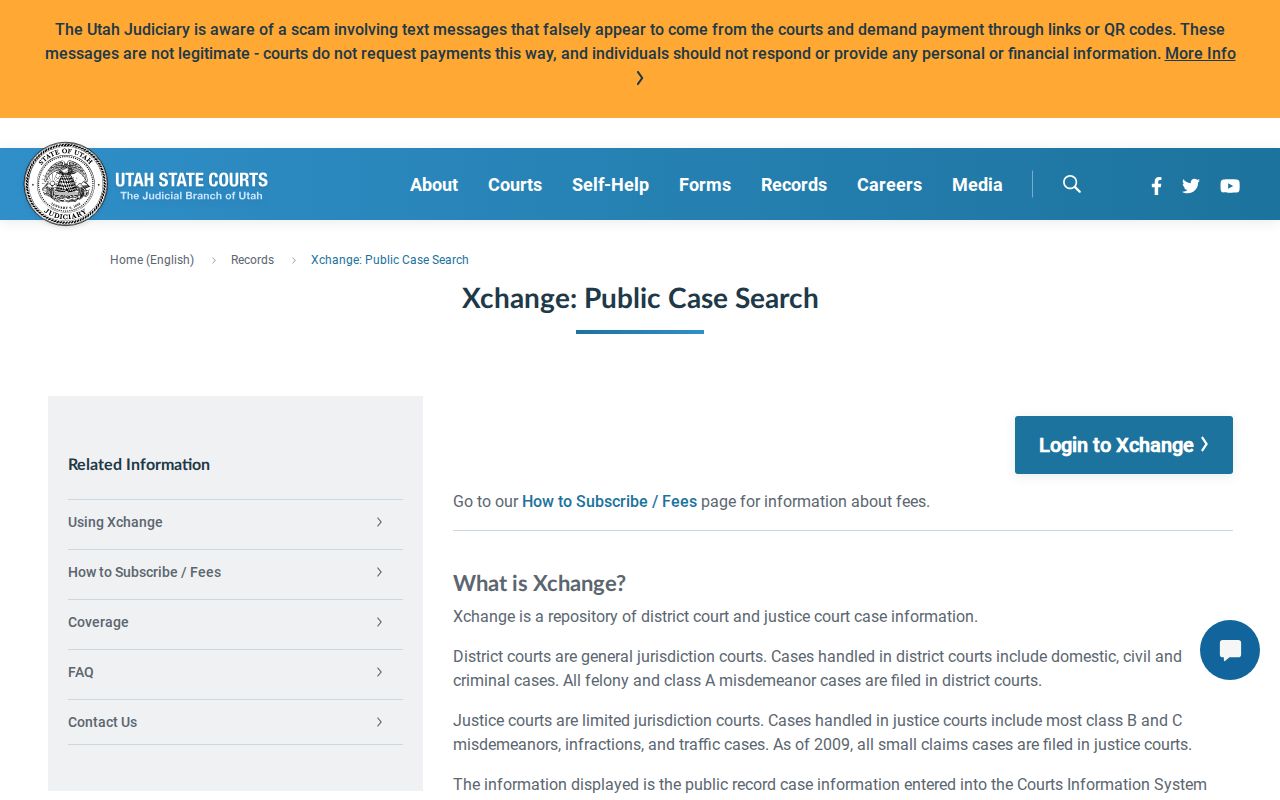
The interface serves public district and justice information only; private classifications stay out of the public result.
Access and payment run on separate tracks. XChange splits guest access, account access, searches, and document purchases, and the official guest and login screen lays out those entry routes.
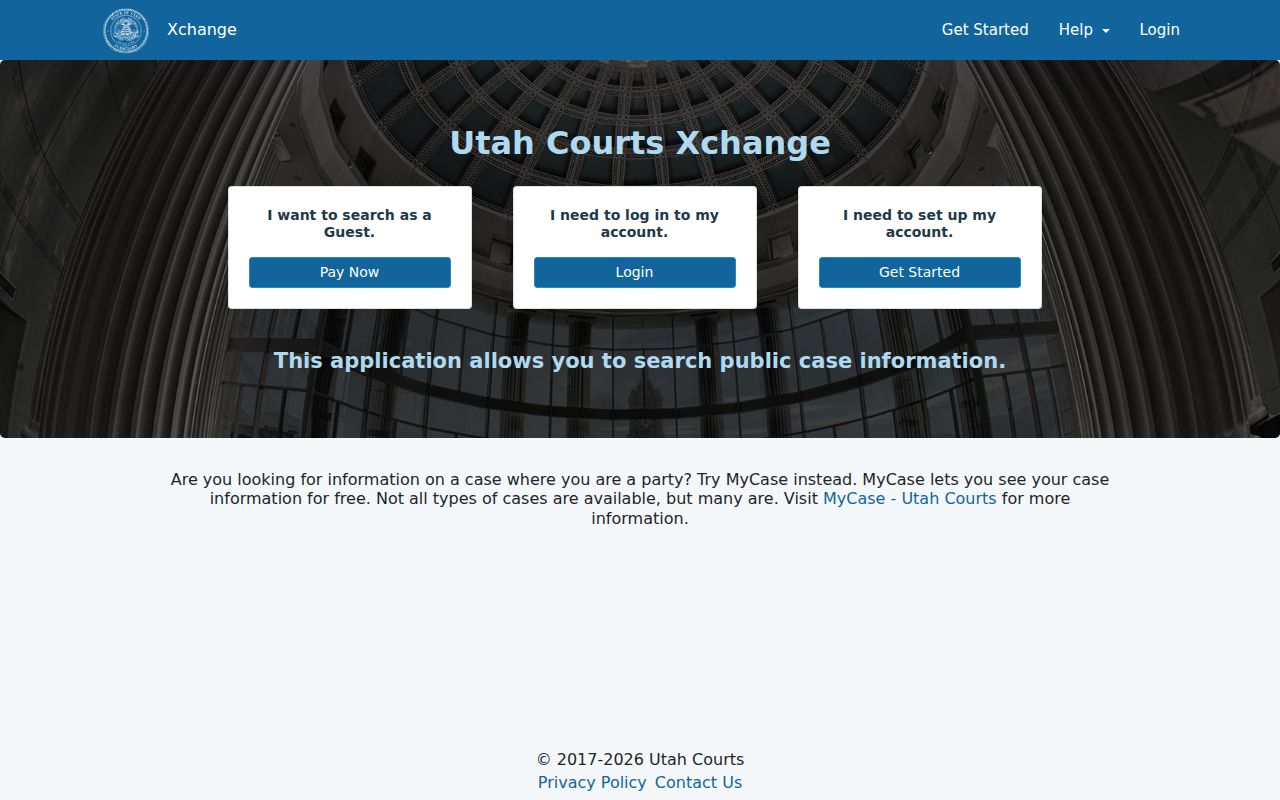
A guest session only changes how you access and pay. It does not change the legal classification of any Cache County case.
Case Number Searches
The best search key is a case number. It skips past every common-name match. Type the Utah number exactly as printed. Use the notice, order, citation, or earlier case summary. The public help page publishes no single segment pattern. Never invent punctuation or assume a format like YYYY-XX-#####. If the first try fails, recheck each digit. Confirm the jurisdiction. Then try the court location shown on the document.
Case-type codes help too. XChange uses codes such as SC for small claims, EV for eviction, DC for debt collection, and CN for contracts. It also carries the criminal classifications Utah Courts publishes. A code names the matter. It proves nothing about current status or result. Open the history and read the newest entry.
Cache County Result Limits
XChange caps a result set at 500. A statewide sweep for a common surname can push relevant matches off the visible list. Before concluding anything, narrow the docket search. Filter by Cache County, district or justice jurisdiction, case type, filing date, citation location, or one particular court. The official help page displays the order and range of the filters.
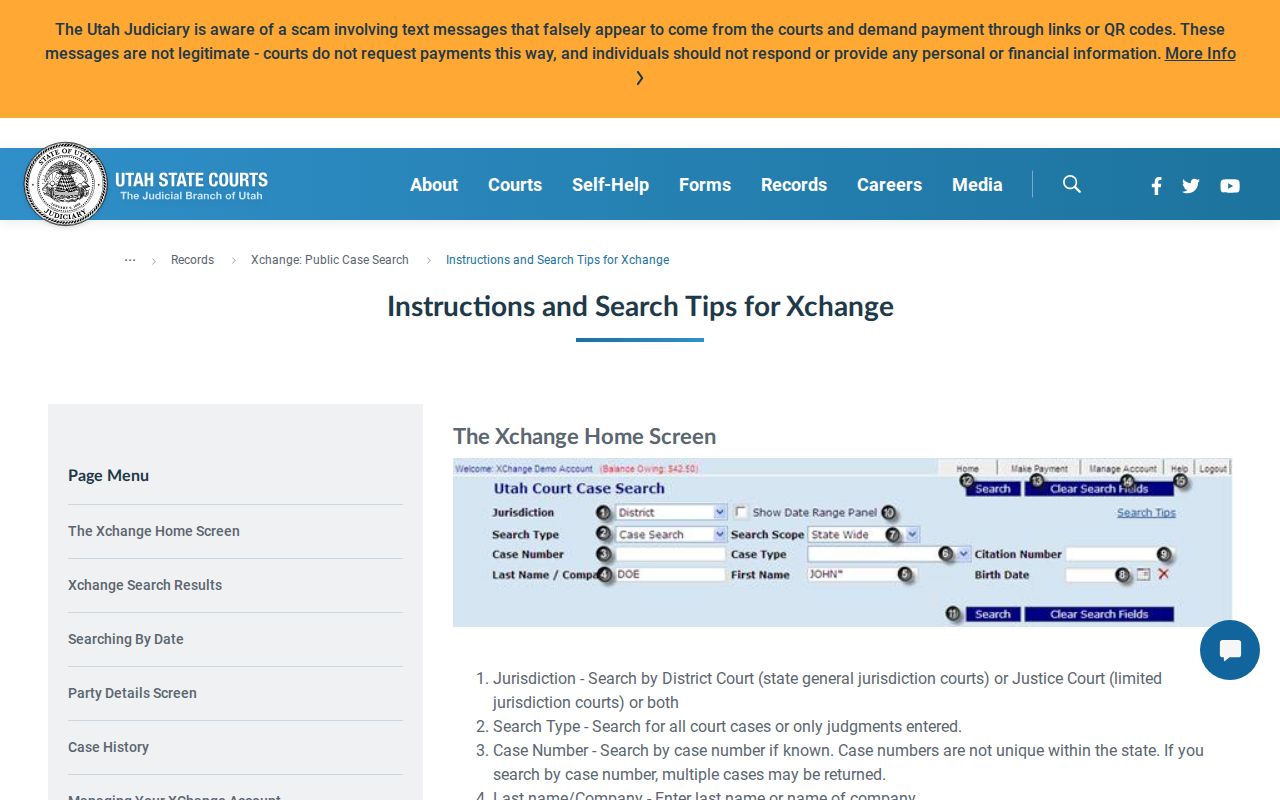
Treat the filters as a funnel. Jurisdiction comes first, then local scope, then name, case type, and dates.
Myth: No visible name match means no case exists. Fact: spelling, court choice, the 500-result cap, record age, or access rules can all produce an empty search.
Case Search Results Explained
A result row shows plenty. It can list the court, location, case number, case type, filing date, public party name, and party role for each Cache County case. Open the case for the full chronology. A district criminal docket may list charges, level, plea, disposition, citation data, agency, and prosecutor. A civil history may carry parties, lawyers, motions, hearings, orders, judgments, and accounting entries. For a date-specific check, one thing wins. The current calendar still beats the case file.
| Case header | Court, caption, case number, case type, filed date, judge, and public status |
|---|---|
| Parties | Public names and role codes such as plaintiff, defendant, petitioner, or respondent |
| Chronology | Filings, proceedings, hearings, orders, judgments, payments, and disposition events |
| Settings | Date, time, court, judge, courtroom, and setting type when entered |
| Documents | Eligible public district images, separate from the case-history index |
The party-role code list decodes the labels on a result. A party code names a role, nothing more. It is not a finding about who won, and a payment balance is not a judgment or disposition.
Cache County Party Codes
XChange tags every public party with a role code, and the official party-role glossary defines each label.
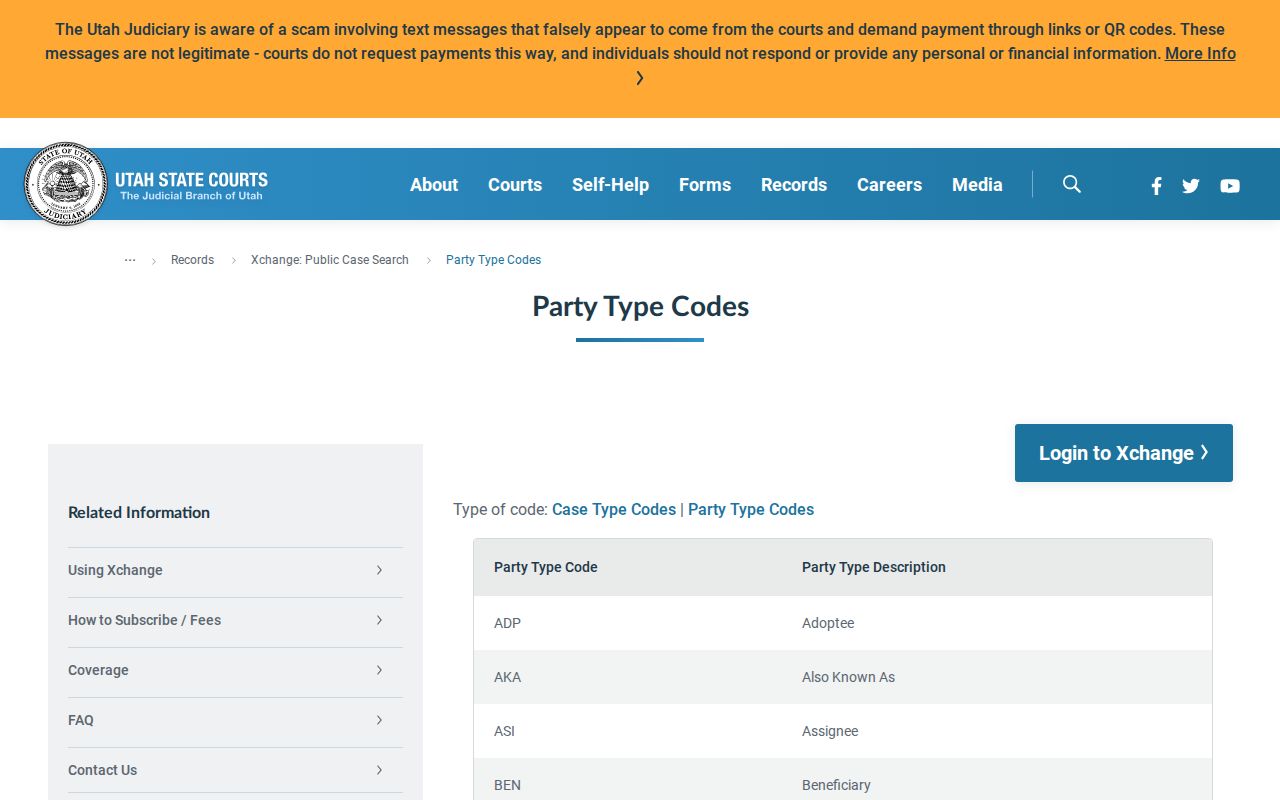
A role describes a place in one case, not the outcome.
Cache County Document Path
Case History/Documents links a result to the filed record. District documents filed electronically since July 1, 2010 may be offered as images. The cost is $1 per document. That holds whatever the page count. An entry can appear with no image attached. Older paper files, restricted filings, exhibits, and certified copies may take a trip to the Logan court counter. A formal request works too.
Pricing runs through the official XChange registration page. One-time access is $10, searches cost $0.20, and documents cost $1. The monthly option carries separate setup, subscription, included-search, and overage terms. Check the live form before paying.
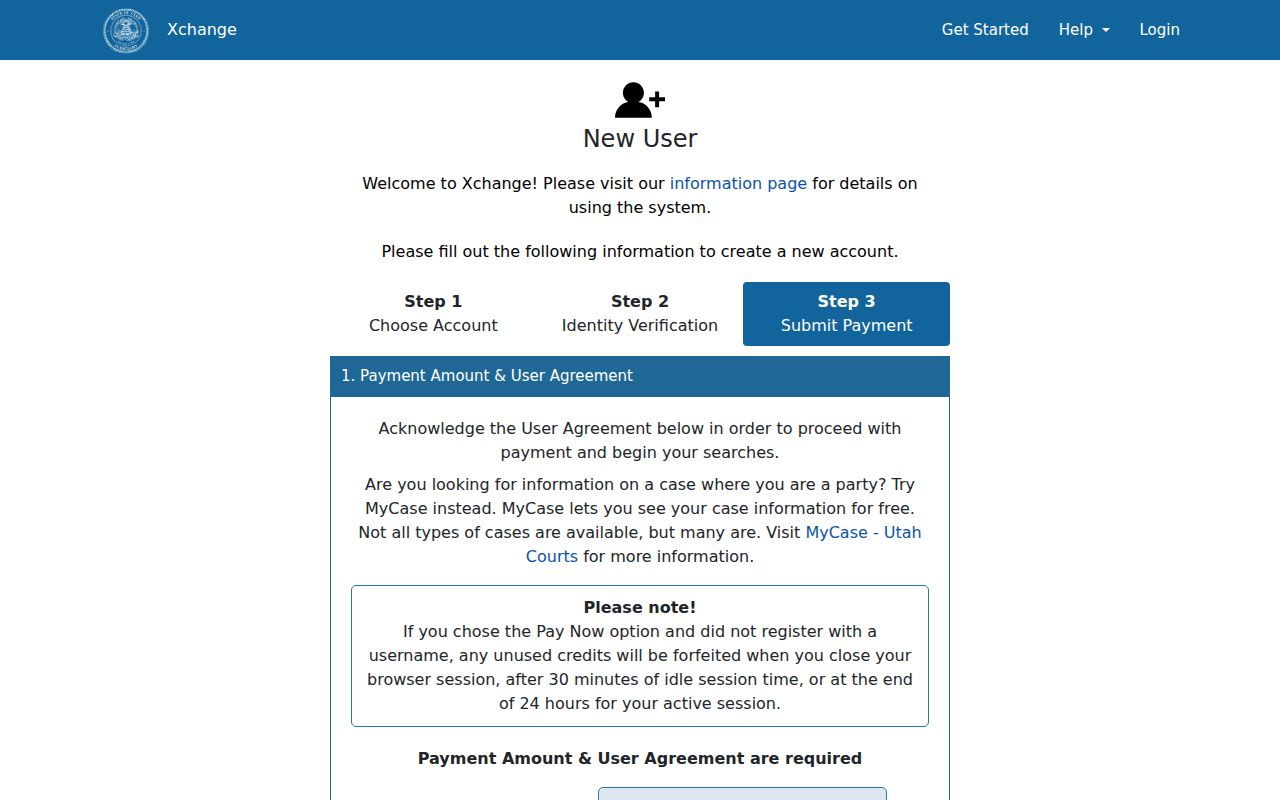
The registration screen makes one thing plain: a public case index, a purchased image, and a clerk-certified copy are three distinct products.
Two Ways to Search: County and State
No separate county portal competes with the state system here. In Cache County, the words “county” and “statewide” just describe how wide your docket search runs inside XChange, plus the local help route if you skip it. Start narrow when you know the case belongs here. Widen the docket search statewide when a transfer, an earlier city assignment, or an uncertain court might place the record somewhere else. A Utah Courts calendar is the right tool for a hearing date. When the routing is unclear, call or visit the court that maintains the case.
| Route | Best use | Limit |
|---|---|---|
| XChange, Cache scope | Known Cache district or justice case | Public electronic coverage only |
| XChange, statewide scope | Unknown county, court, or transfer | Broad results can hit the 500 cap |
| Public calendar | Current hearing date and setting | Not a full document file |
| Local clerk and terminal | Routing help, inspection, older files | Restricted records still require authority |
Cache County Search Gaps
Coverage in Logan District Court's CORIS system starts on August 18, 1997. Anything older in Cache County may sit in a paper file at the court. Or it may have moved to Utah State Archives. The Archives holds registers of actions, docket books, minutes, orders, judgments, probate books, and case files. They go back to 1896. So age alone is a search variable, not proof a docket never existed.
A blank XChange result is not the end. First check the court type and the exact spelling. Then check name variants, citation digits, the date span, and the court location. Look at the calendar too. Call the First District Court at 435-750-1300 to sort out district routing. For a city matter, call the named municipal court. Most district courts keep a free public terminal. Some justice courts do too, and there you can inspect XChange yourself. A specific Request for Record can also help. It can pull a public file or document that never made it online.
Note: Cache County’s court search is layered, so a portal failure should lead to the court, terminal, request form, or archives.
Which Cases Stay Restricted
Utah Code of Judicial Administration Rule 4-202.02 draws the line between public and private court records. Sealed, expunged, and nonpublic material never appears in XChange. Juvenile delinquency, child-welfare, and termination-of-parental-rights cases stay closed in ways adult public cases do not. Many domestic case types are private too. But certain orders, judgments, decrees, letters of appointment, and hearing minutes stay open.
Do not confuse the labels. Private, sealed, disposed, and dismissed each mean something different. One describes how the case ended. Classification decides who may see the file. Someone with a legal right to a private record can document that basis. The route is Rule 4-202.03. Anyone without automatic authority may need the motion or petition process in Rule 4-202.04. Never try to slip past a restricted docket. No clever search field or calendar will do it. Contact the court, state your lawful basis, and supply whatever documentation it requires. And public access never licenses republication of addresses, birth dates, or other protected identifiers.